Set up Dekhlo TV
Install the app, add your line, and send us the MAC address so we can switch it on.
About three minutes on an iPhone, iPad or Android phone. You'll need the setup link: it's on your order page, in our emails and on the free-trial page.
- 01
Install the app
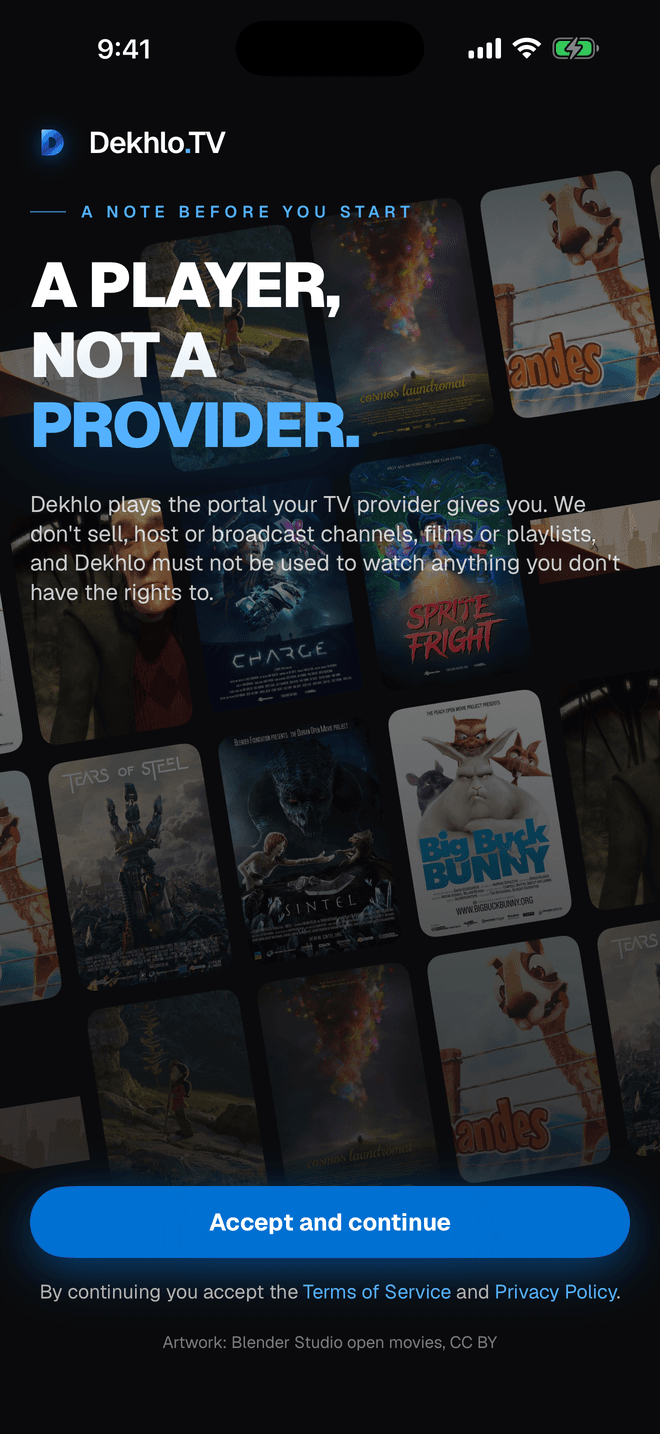
Search for Dekhlo TV on the App Store or Google Play, or open dekhlo.tv/app on the phone and tap your device.
- 02
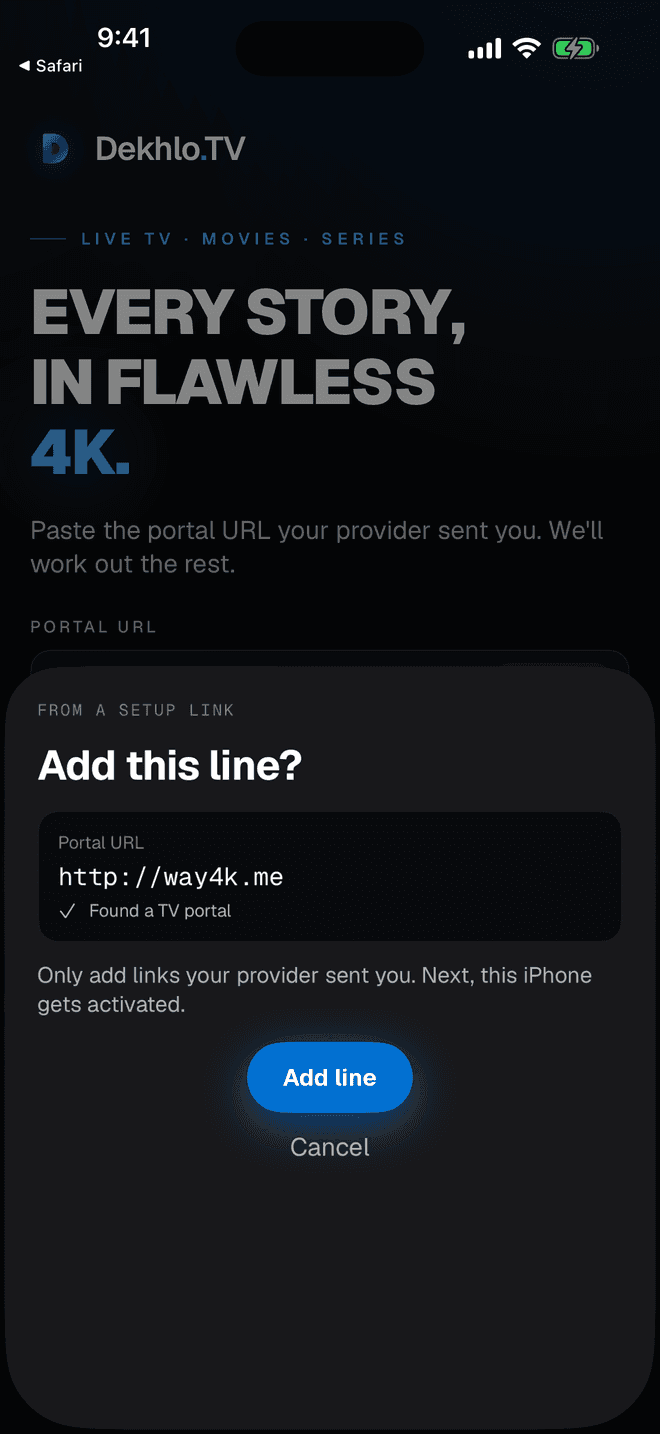
Tap your setup link
The link opens the app and asks to add our line, with the Portal URL already filled in. Tap Add line. No link? Open the app and type http://way4k.me into the Portal URL field instead.
- 03
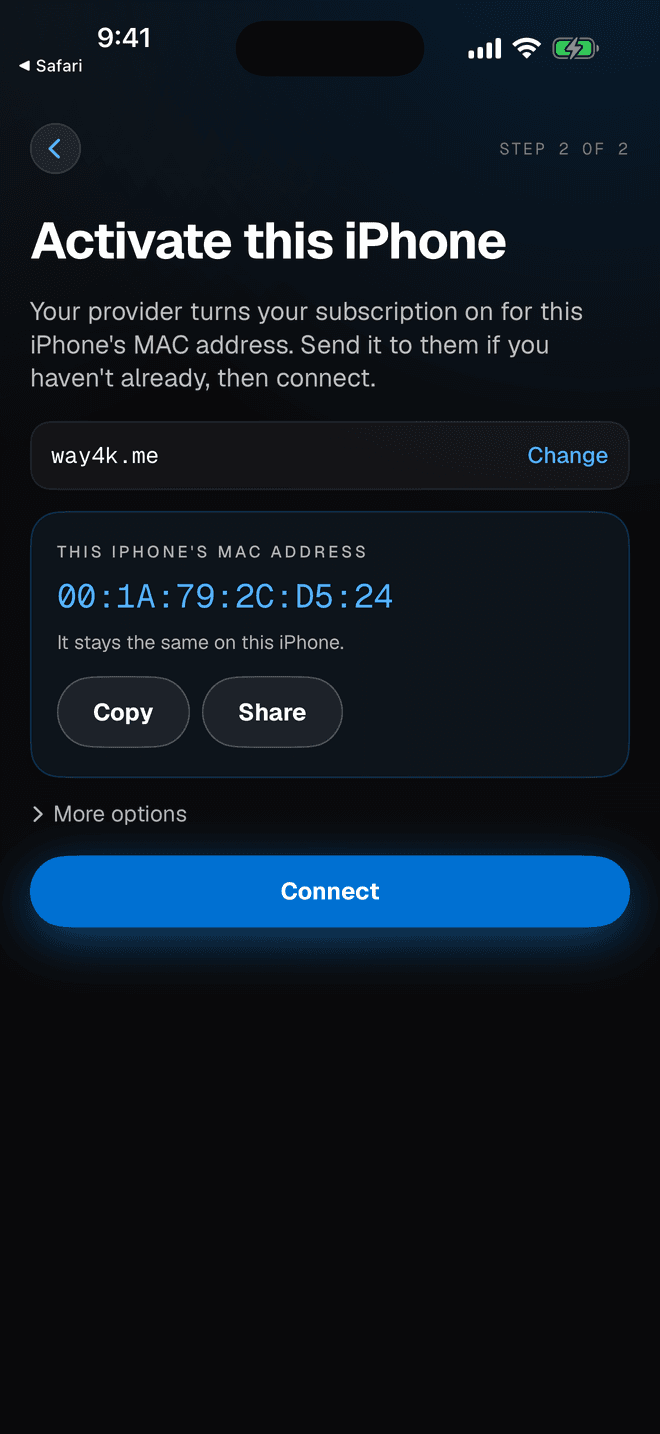
Send us your MAC address
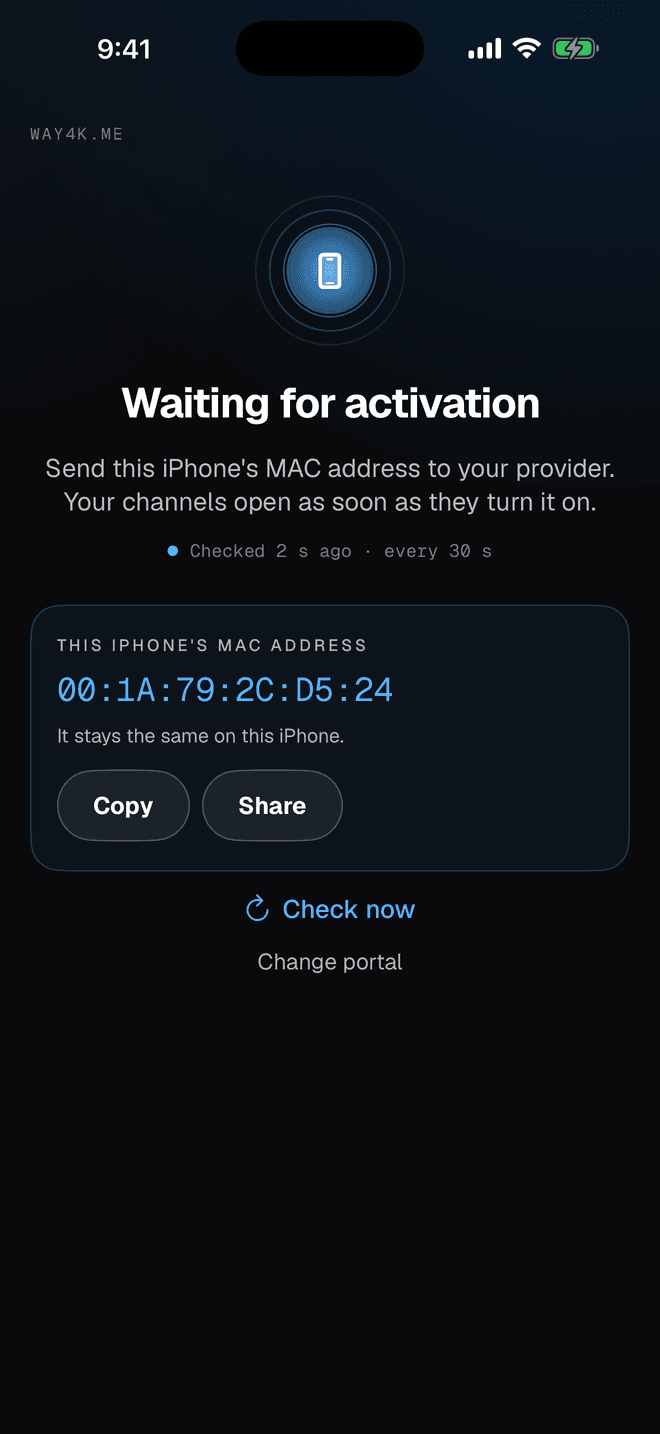
The app shows a MAC address — the code that identifies this device to our servers. Tap Copy and paste it on your order page, or on the free-trial page for a trial. It comes straight to us and we activate it.
- 04
Wait on the activation screen
Leave the app open. It keeps checking, and starts playing as soon as your line is on: within seconds for a free trial, about 15 minutes after payment for a plan.
If something doesn't work
- The app says it can't reach the provider.
- Check the Portal URL is exactly http://way4k.me — no https, no trailing slash. If it still fails, your network's DNS may be stale: try a different Wi-Fi or your phone's hotspot to confirm, and message us.
- It says authorization failed.
- Your MAC address isn't active yet, or the line is open on another device. Each device needs its own line — send us the MAC shown on the setup screen and we'll bind it.
- The TV can't find the page from the QR code.
- The TV and the phone have to be on the same Wi-Fi, and the panel has to still be open on the TV — it closes the page when you leave that screen.
- Channels load but keep freezing.
- Power-cycle the TV fully rather than using standby, and check the connection is 25 Mbps or better for 4K. If one channel alone freezes, tell us which — that's usually ours to fix.