Set up Smart STB on your TV
About 3 minutes. Works on Samsung, LG, and most other smart TVs that support the Smart STB app.
Add your portal in a few minutes
- Step 01
Open Smart STB on your TV
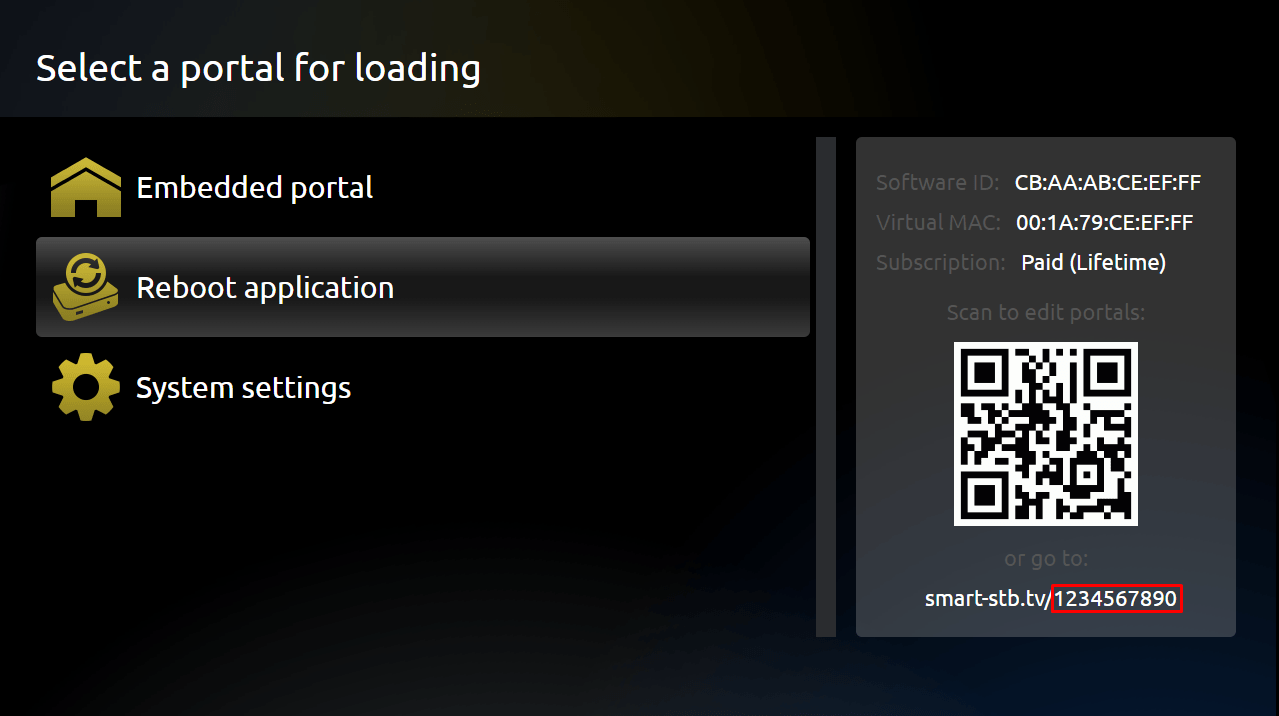
Launch the Smart STB app from your TV's apps menu. You'll see a 'Loading portal' screen while it tries the default portal.
- Step 02
Press OK while it's loading
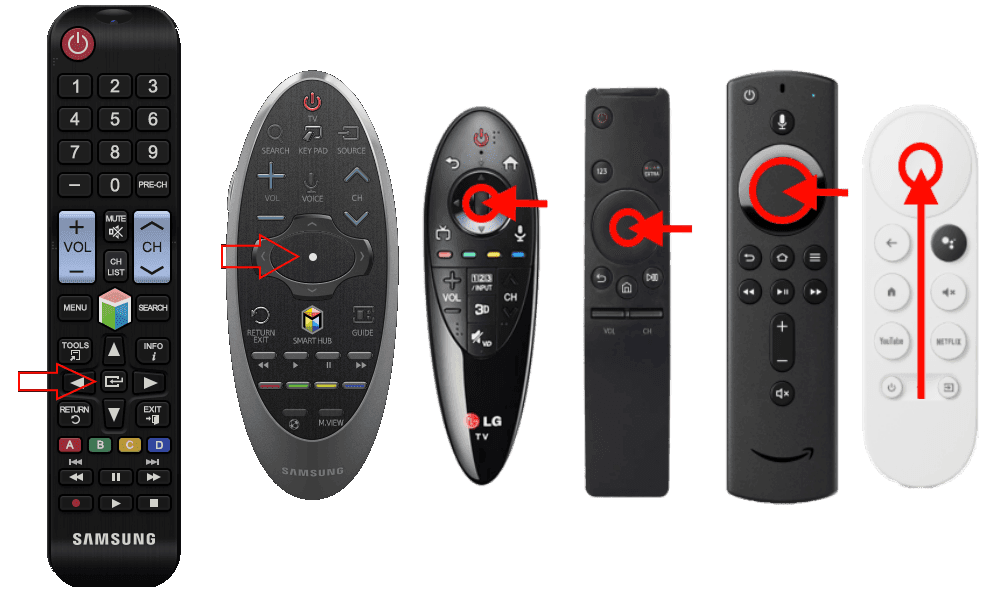
As soon as 'Loading portal' appears, press the OK / center button on your TV remote. This opens the Smart STB settings menu.
- Step 03
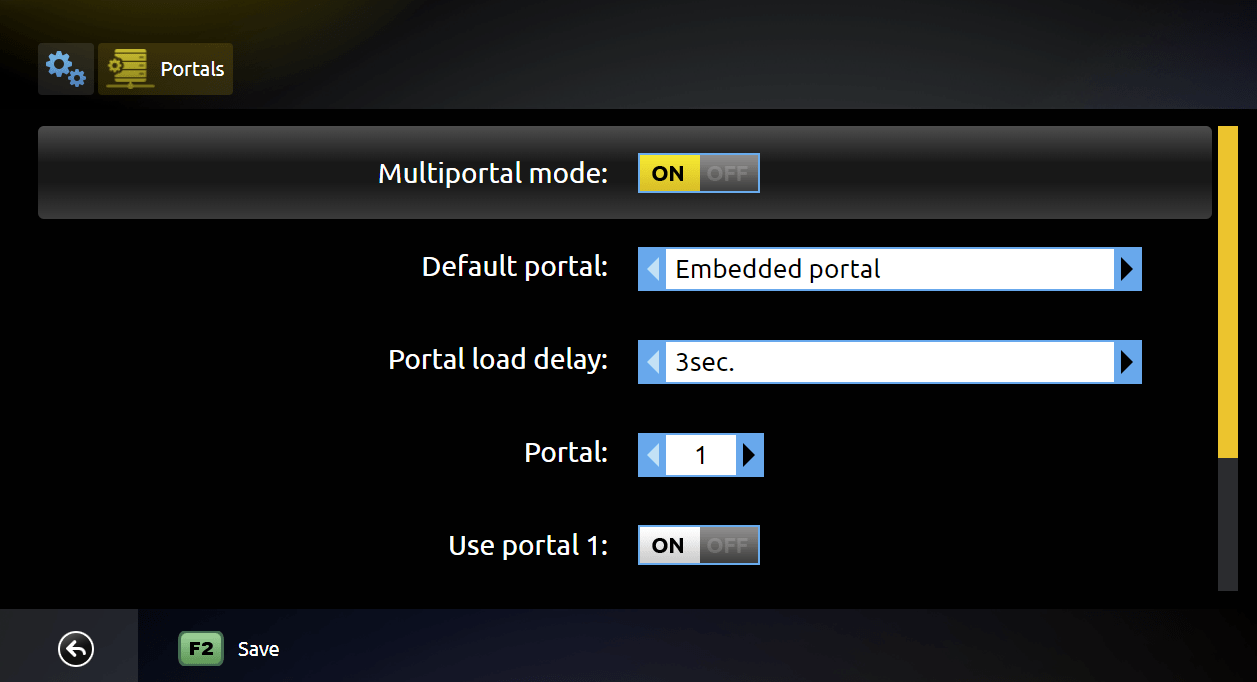
Open System Settings
Navigate to System Settings from the menu using your remote's arrow keys.
- Step 04
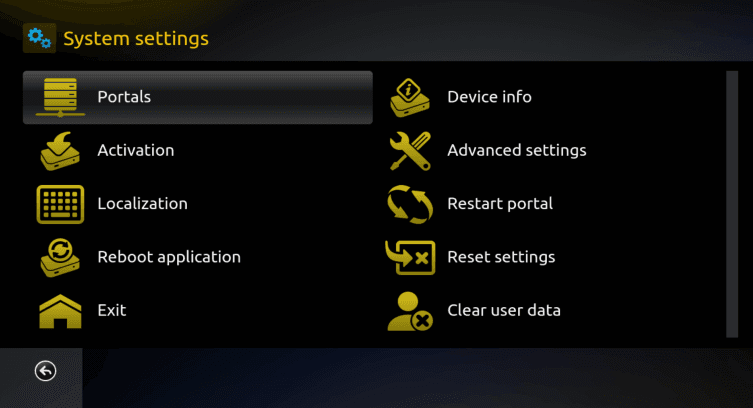
Open the Portals submenu
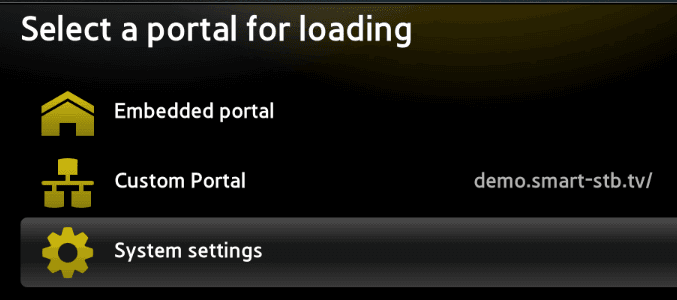
Inside System Settings, scroll to Portals and press OK to open it.
- Step 05
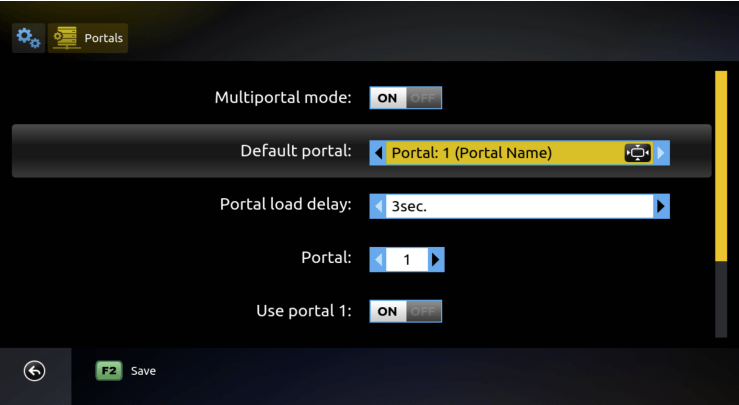
Turn Multiportal mode ON
Switch Multiportal mode to ON. This lets the app store multiple portal addresses so you can keep both the demo and your Dekhlo TV portal.
- Step 06
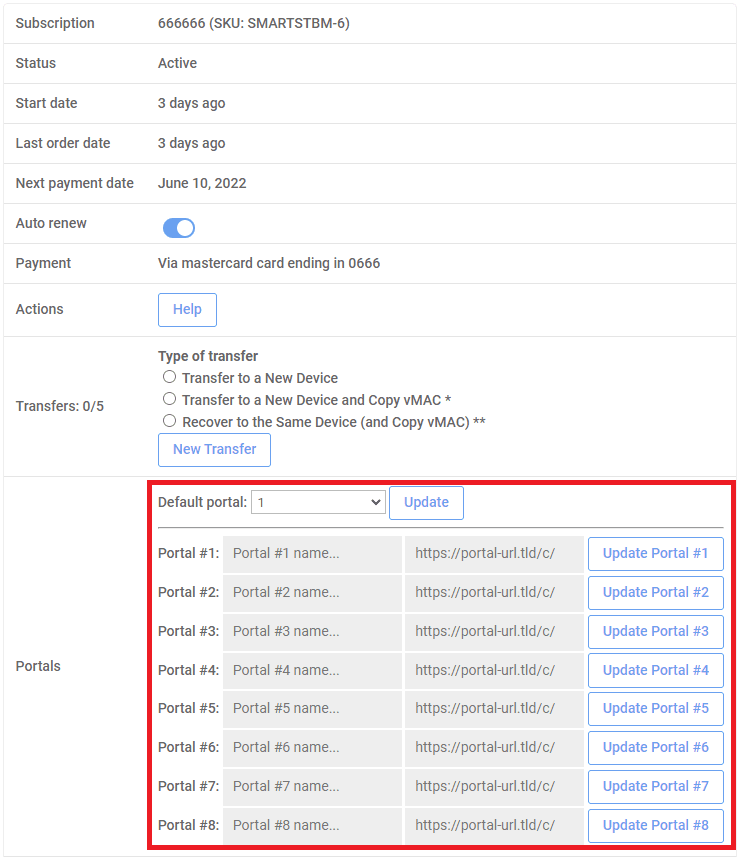
Enable Portal 1 and enter http://way4k.me
Turn Use Portal 1 ON, then in the Portal 1 URL field type http://way4k.me exactly. Press the GREEN button on your remote to save (or press BACK and confirm with OK).
- Step 07
Set Portal 1 as the default and reload
Choose Portal 1 as the default portal so the app loads it on every startup. Exit settings — your channels will load within a few seconds.
Common issues
- The portal won't load.
- Double-check the URL is exactly http://way4k.me with no trailing slash, no https, and no typos. Make sure your TV is online by opening any other app.
- The app says my MAC isn't authorized.
- Reply to your activation email with your TV's MAC address — you'll find it in Smart STB under Settings > System Information. We'll bind it within 15 minutes.
- Channels are loading but freezing.
- Restart the TV (full power-cycle, not just standby) and try again. If it persists, message us — it's almost always a quick fix.
- I can't find the GREEN button on my remote.
- On most remotes, press BACK and then confirm with OK to save. Some remotes use F2 instead of GREEN.
Need more detail? Smart STB publishes the canonical reference for the Portals settings.
Smart STB knowledgebase